WhatsApp Ends Android 5 Support: What Users Need to Do
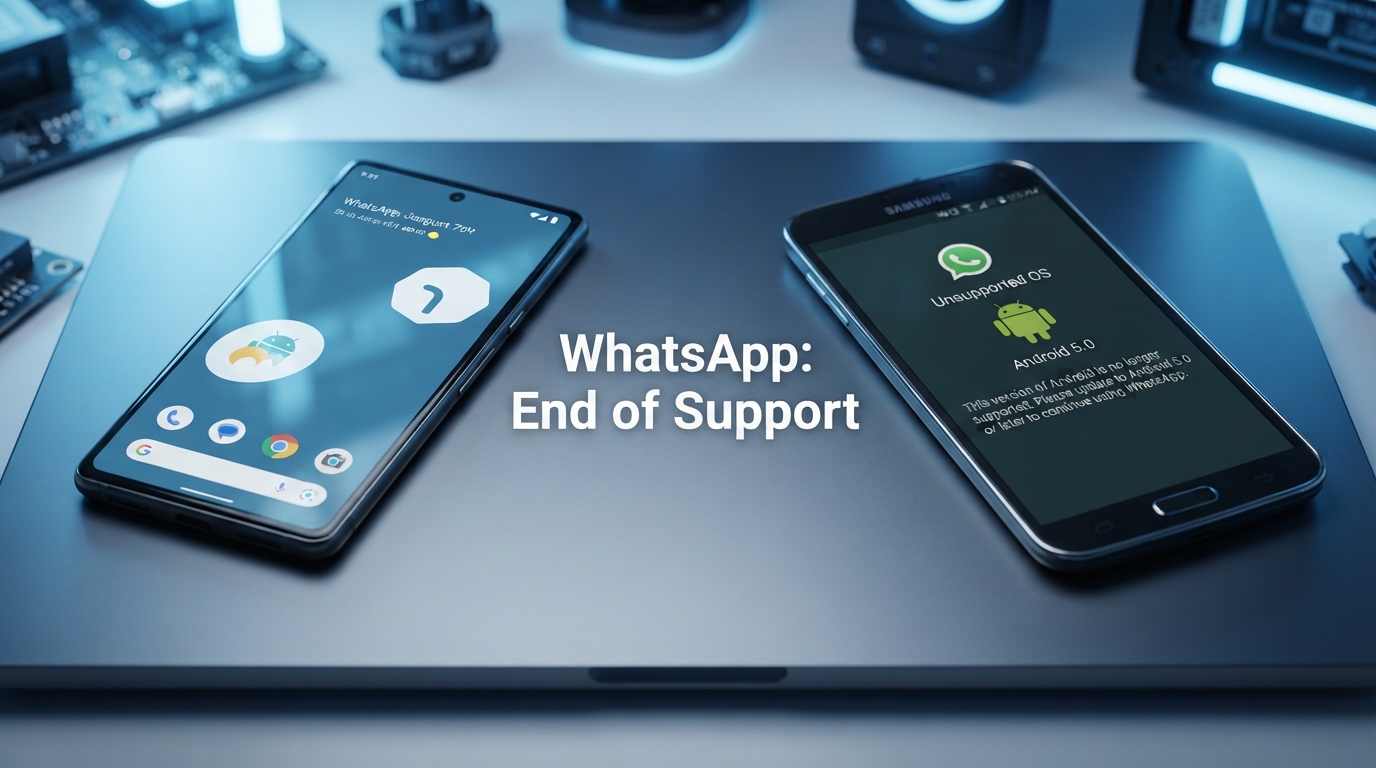
WhatsApp is preparing to end support for Android 5 and older versions on September 8, 2026. Users with older smartphones should check their Android version and prepare before the deadline.
WhatsApp official support information states that starting September 8, 2026, only Android version 6 and newer will be supported. The change means users of older Android versions should take action before the support transition.
What Is the Problem?
The problem affects people who still use WhatsApp on smartphones running Android 5.0 or an older version of the operating system. These devices are now considered old compared with the requirements of modern applications.
When an application stops supporting an operating system, users may no longer receive normal application updates and future compatibility can become uncertain. The application may continue working for some time, but users should not depend on unsupported software for long-term access.
For people who use WhatsApp every day for family communication, business conversations, work groups or important files, the change is especially important because losing access unexpectedly can create unnecessary disruption.
Anyone using an Android phone that cannot be upgraded beyond Android 5 should check the operating system immediately. Users with Android 6 or newer are within the supported range according to WhatsApp current support information.
Why Is WhatsApp Ending Support for Older Systems?
Technology companies regularly update their minimum operating system requirements. Supporting very old platforms can make it more difficult to introduce modern security improvements, system integrations and new application features.
WhatsApp explains that older devices and operating systems are retired from support so the service can keep pace with technological and security developments. Newer operating systems generally provide improved security mechanisms and better compatibility with current applications.
An old phone can still work physically while becoming too old to safely support modern software.
This is why software support should be considered an important part of the useful life of a smartphone, not only the condition of its screen, battery or processor.
How to Check Your Android Version
The first step is to determine which version of Android is installed on the phone. Menu names can vary between Samsung, Xiaomi, Huawei, Oppo, Vivo and other manufacturers, but the general process is similar.
- Open the Settings application.
- Scroll down and open About phone or About device.
- Find the Android version information.
- Check whether the phone is running Android 6 or a newer version.
- If the phone is running Android 5, check whether an official system update is available.
If your phone supports an official upgrade to Android 6 or newer, updating the operating system may solve the compatibility problem without requiring you to purchase another phone.
What Is the Solution?
The correct solution depends on the smartphone. Users should first check whether the manufacturer provides an official Android update.
- Update the operating system: Install an official update if your phone supports one.
- Move to a newer smartphone: If the device cannot be updated, consider replacing it with a supported model.
- Back up WhatsApp: Create a current backup before changing phones whenever possible.
- Protect important files: Save important photographs, documents and other information before switching devices.
- Prepare your phone number: Make sure you can receive the verification code when activating WhatsApp on another device.
Users who discover that their phone is no longer supported should begin preparing before September 8. Early preparation makes it easier to transfer important information and avoid last-minute problems.
Could You Lose Your WhatsApp Conversations?
Changing to a newer phone does not automatically mean that conversations and media must be lost. WhatsApp provides backup and transfer options that can help users move their information between supported devices.
The safest approach is to create a recent backup before changing phones. Users should also make sure that the backup process has completed successfully before resetting or abandoning the old device.
| Phone Status | Recommended Action | Priority |
|---|---|---|
| Android 6 or newer | Continue using WhatsApp and keep the phone updated | Normal |
| Android 5 with official update | Install the available system update | High |
| Android 5 without an update | Prepare to move to a supported phone | High |
| Old phone with important data | Create backups before changing devices | Very High |
Why This Problem Matters
The WhatsApp change highlights a larger technology problem. Smartphones can remain physically functional for many years, but their software support may end much earlier.
This means a phone can have a working screen, camera and battery while still becoming unsuitable for some modern applications. Software compatibility is therefore becoming just as important as hardware quality.
For consumers, this is an important lesson when purchasing a new smartphone. The device should not be evaluated only by its camera, processor or screen. The expected period of operating system and security updates is also an important factor.
How Can Users Avoid Similar Problems in the Future?
The best way to reduce the risk of software compatibility problems is to keep devices updated and monitor official support announcements from important applications.
- Install official security and operating system updates.
- Avoid keeping extremely old smartphones as primary communication devices.
- Maintain regular backups of important information.
- Check software support before buying a new phone.
- Replace unsupported devices before critical applications stop working.
Frequently Asked Questions
When will WhatsApp stop supporting Android 5?
According to WhatsApp official support information, only Android 6 and newer will be supported starting September 8, 2026.
Will WhatsApp stop working immediately?
Users should not assume that the application will stop working at exactly the same moment for every device. However, once the operating system is outside the supported range, continued compatibility and future updates cannot be relied upon.
Do I need to buy a new phone?
Not necessarily. First check whether your current smartphone has an official update that can move it to Android 6 or newer. If no compatible update exists, a newer supported device may be necessary.
Can I transfer my WhatsApp data?
Users should create a recent backup and follow WhatsApp supported backup or transfer procedures before moving to another device.
Is this mainly a security issue?
Security is one of the important reasons modern applications move away from very old operating systems. Newer platforms generally provide better security technologies and support for current application requirements.
Conclusion
WhatsApp decision to end support for Android 5 is an important reminder that smartphone software support has a limited lifespan. Users with modern Android versions are not expected to be affected by this specific change.
People who still use Android 5 should check their phone immediately. If an official update is available, installing it may solve the problem. If the phone cannot be upgraded, users should back up their WhatsApp information and prepare to move to a newer supported device.
Taking action before September 8, 2026 can make the transition easier and reduce the risk of losing access to an important communication service.
WhatsApp Help Center — About supported devices and operating systems.