QR Code Scams Are Rising: How to Spot the Trap and Protect Your Money
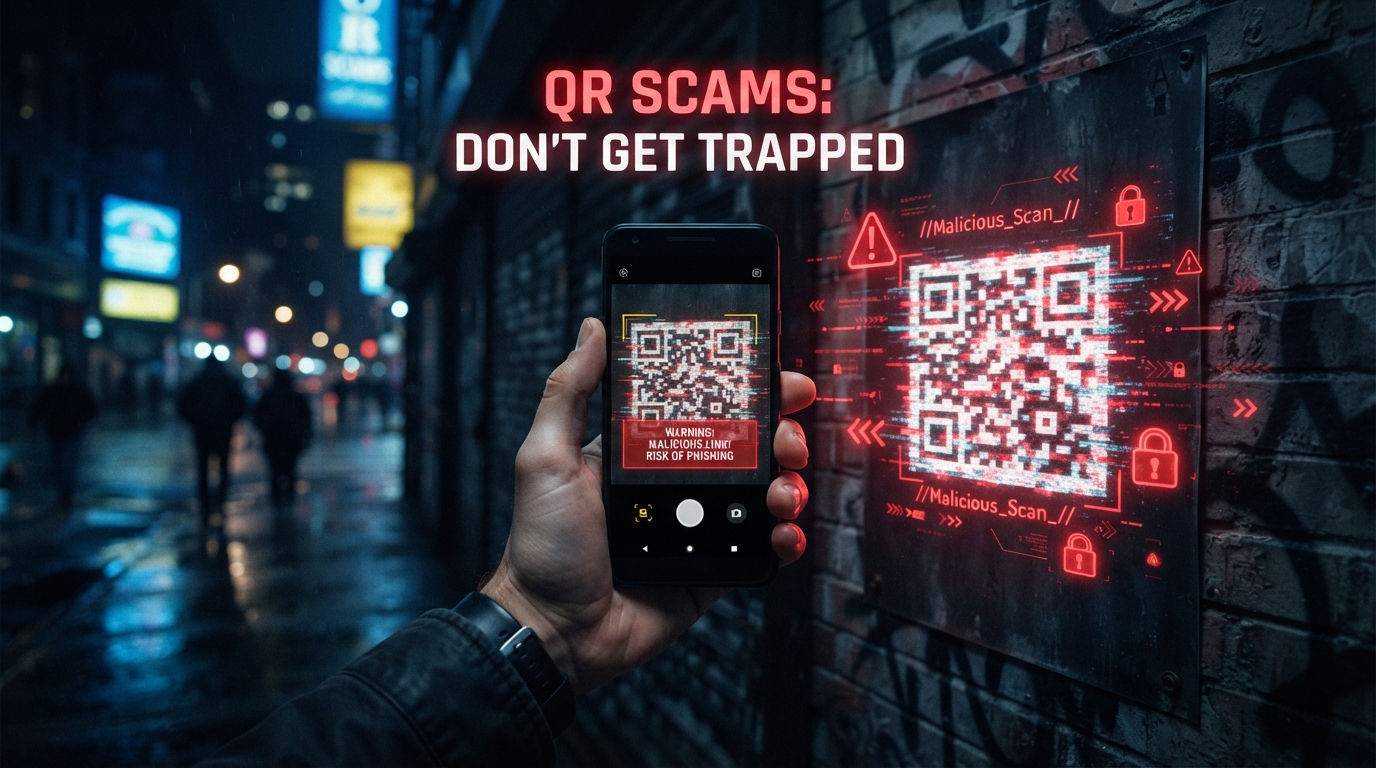
QR codes have become part of everyday life, but scammers are increasingly using fake codes to redirect people toward fraudulent websites designed to steal money, passwords and personal information.
Security warnings about malicious QR codes are gaining attention because people often trust QR codes without checking where they lead. A code placed over a legitimate payment code can send a victim to a fake website that looks almost identical to a real service.
The Federal Trade Commission recently warned consumers about scammers placing fraudulent QR codes over legitimate codes, including payment codes. The agency says these fake codes can lead to websites designed to steal money or personal information.
Article Contents
What Is the Problem?
QR codes are convenient because they allow users to open websites, payment pages, menus, applications and other digital services by scanning a small square pattern with a smartphone.
The problem is that the QR code itself does not tell the user whether the destination is legitimate. A malicious code can look exactly like a normal code while sending the user to a completely different website.
This creates an important security gap. People may check a message, a poster or a payment machine visually and assume everything is safe because the QR code looks professional.
The danger is not the QR technology itself. The danger is trusting a QR code without checking the website, payment destination or request that appears after scanning it.
How Does a QR Scam Work?
A typical QR scam begins when criminals place a fraudulent QR code in a location where people expect to find a legitimate one. This can include parking areas, public advertisements, printed notices, emails, messages or payment locations.
After scanning the code, the victim may be sent to a website that imitates a bank, payment provider, delivery company, government service or another trusted organization.
The fake page may request a password, card number, verification code or other sensitive information. In some cases, the victim may also be encouraged to make a payment.
A QR code can make a dangerous link look simple and trustworthy, but scanning it does not guarantee that the destination is safe.
Warning Signs to Watch For
There are several signs that should make a user stop before continuing. None of these signs alone proves that a QR code is fraudulent, but several warning signs together should be treated seriously.
- The QR code appears to have been placed over another code.
- The website address looks strange or contains an unexpected domain.
- The page immediately requests sensitive personal information.
- The message creates urgency and tells you to act immediately.
- The payment amount or recipient looks different from what you expected.
- The page asks for passwords or verification codes without a clear reason.
- The QR code comes from an unexpected message or unknown sender.
If a QR code leads to a login or payment page, stop and verify the destination through an official application or website instead of trusting the scanned page automatically.
Why Payment QR Codes Are Especially Risky
Payment QR codes can be particularly attractive to criminals because users may scan them quickly without carefully checking the destination. A fraudulent code can redirect a payment to a different recipient or open a fake payment page.
The risk becomes greater in busy locations where users are focused on completing a transaction rather than inspecting security details.
For this reason, users should verify the recipient name, payment amount and final confirmation screen before approving a transaction.
Always review the recipient and amount before confirming a QR payment. If anything looks different from what you expected, cancel the transaction and verify it through the official service.
The Practical Solution
The solution is not to stop using QR codes. QR technology remains useful and legitimate. The better approach is to combine convenience with a simple verification process.
Before trusting a scanned page, users should inspect the destination address and consider whether the request makes sense. If a QR code unexpectedly asks for sensitive information, the safest option is to close the page and access the service directly through its official application or manually typed website.
Security also improves when important accounts use strong unique passwords and multi-factor authentication. These measures can reduce the damage if a password is accidentally exposed.
Three-Step Protection Method
- Pause: Do not rush simply because the page creates urgency.
- Verify: Check the website address, recipient and requested information.
- Proceed: Continue only when the destination has been independently verified.
What to Do Before Scanning a QR Code
A few seconds of verification can prevent a much larger problem. Before scanning, look at the physical code and ask whether it appears authentic and whether it belongs in that location.
- Check whether the code has been placed over another code.
- Consider where the QR code came from.
- Use the camera or trusted scanner available on your device.
- Read the destination address before opening the website.
- Do not enter passwords or financial information simply because a QR page requests them.
- For payments, confirm the recipient and amount before completing the transaction.
A professional-looking website is not proof that it is legitimate. Scammers can copy logos, colors and layouts to make fraudulent pages appear convincing.
What to Do After a Suspicious Scan
If you scan a suspicious QR code but do not enter information or complete a payment, close the page and avoid downloading anything from it.
If you entered a password, change it immediately through the official website or application. If the same password is used elsewhere, change it there as well.
If financial information was entered or money was sent, contact the relevant bank or payment provider as quickly as possible and explain what happened.
Users should also enable multi-factor authentication on important accounts and keep their operating system, browser and security software updated.
Problem and Solution Guide
| Problem | Risk | Recommended Solution |
|---|---|---|
| Fake QR code | Redirect to a fraudulent website | Verify the destination before continuing |
| Unknown payment recipient | Money may be sent to a scammer | Check the recipient and amount |
| Fake login page | Password theft | Open the official application directly |
| Unexpected information request | Personal data exposure | Close the page and verify independently |
| Suspicious download | Malware infection | Do not install unknown files and run a security scan |
Frequently Asked Questions
Are QR codes dangerous?
QR codes themselves are not dangerous. The risk comes from malicious codes that redirect users to fraudulent websites or deceptive payment pages.
How can I know if a QR code is fake?
Check whether the code appears altered, inspect the destination address and verify the service through an official application or website before entering sensitive information.
Can a QR code steal money?
A fraudulent QR code can redirect a user to a fake payment page or a payment destination controlled by a scammer. Always verify the recipient and amount before confirming a transaction.
What should I do if I entered my password on a suspicious page?
Change the password through the official service immediately, change reused passwords on other accounts and enable multi-factor authentication.
What is the safest way to use QR codes?
Use QR codes when necessary, but treat them like links. Verify the destination before logging in, making a payment or providing personal information.
Conclusion
QR codes are convenient tools that have become common in payments, transportation, advertising and everyday services. However, their convenience can also be exploited by criminals who want to redirect users toward fraudulent destinations.
The most effective solution is simple: slow down, verify the destination and avoid entering sensitive information when something feels unexpected. For payments, always check the recipient and amount before confirming the transaction.
Digital security does not always require complicated technology. In many situations, a few seconds of careful verification can prevent financial loss, account theft and exposure of personal information.
Federal Trade Commission — Consumer Alert about fraudulent QR codes, September 3, 2026.
Federal Trade Commission — Consumer guidance about phishing scams and online security.