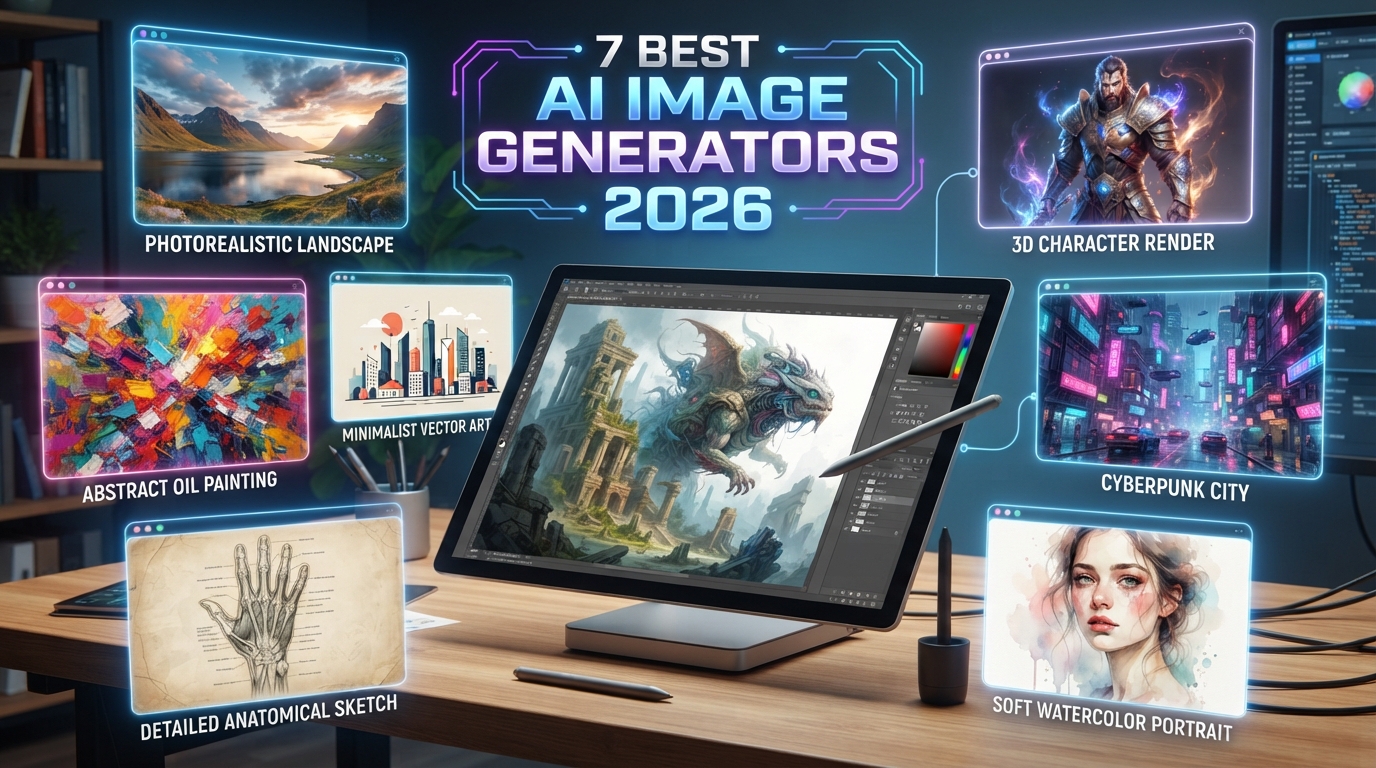
AI image generation has moved far beyond strange experimental pictures.
In 2026, the best AI image tools can create realistic photography, illustrations, product concepts, social media graphics, posters, characters, advertising visuals and images containing readable text.
Some can also edit existing photographs, remove objects, change backgrounds, combine reference images and preserve important visual details while you continue refining the result through conversation.

AI image generators are increasingly becoming complete creative tools rather than simple text-to-image systems.
The 7 AI Image Generators We Recommend Comparing
Quick Comparison
| Tool | Best For | Free Access | Editing | Text in Images | Learning Curve |
|---|---|---|---|---|---|
| ChatGPT Images | General creation, editing, posters, concepts | Available across ChatGPT tiers with limits depending on plan | Excellent conversational editing | Strong | Very easy |
| Midjourney | Art direction, cinematic visuals, stylized images | No regular free web/Discord trial | Available through its creative tools | Improved, but not its only strength | Medium |
| Adobe Firefly | Commercial creative workflows and Adobe users | Free daily generations available | Very strong with Adobe ecosystem | Good | Easy |
| Gemini / Nano Banana | Image references, editing, visual reasoning | Access available with usage limits | Strong | Strong | Easy |
| Ideogram | Posters, typography, ads, graphics | Availability depends on current account tier | Good | Excellent | Easy |
| Leonardo.Ai | Creator workflows, styles, production assets | Free users receive a daily token allowance on supported models | Strong inline editing | Good | Medium |
| Canva Magic Media | Social media, marketing and presentations | Access depends on Canva AI allowance and plan | Excellent design workflow | Useful once combined with Canva text tools | Very easy |
1. ChatGPT Images
ChatGPT Images is one of the easiest options for people who want to describe what they need in normal language instead of learning a complicated image-generation interface.
You can create an image from scratch, upload an existing image and ask for modifications, select parts of an image for editing, change the aspect ratio, add or remove elements, request transparent backgrounds and continue refining the same idea conversationally.
Best uses
- Article featured images.
- Advertising concepts.
- Social media visuals.
- Infographics.
- Posters containing text.
- Product concepts.
- Editing uploaded photographs.
- Replacing backgrounds.
- Adding or removing objects.
- Creating variations from one concept.
- Very easy conversational workflow.
- Can create and edit images in the same conversation.
- Supports uploaded reference images.
- Can add text and labels inside generated images.
- Can create transparent backgrounds.
- Supports different aspect ratios.
- Usage limits depend on the ChatGPT plan.
- Very precise editing may still require several iterations.
- Important brand details should be checked before publication.
OpenAI states that ChatGPT Images is available across ChatGPT tiers, with additional image capabilities available on selected paid plans.
2. Midjourney
Midjourney became popular because of its ability to create visually impressive, stylized and cinematic imagery.
It is particularly attractive when visual mood matters more than simply creating a functional graphic.
Best uses
- Cinematic concepts.
- Fantasy art.
- Editorial artwork.
- Luxury advertising concepts.
- Architecture inspiration.
- Fashion concepts.
- Game and character design.
- Stylized thumbnails.
- Strong artistic aesthetics.
- Useful for concept development.
- Large creative community.
- Relax generation is unlimited for images on Standard, Pro and Mega plans according to current plan information.
- It is subscription-based.
- Privacy requires attention because Midjourney is open by default; Stealth Mode is available only on selected higher plans.
- It can require more experimentation to reach a very specific commercial layout.
Current Midjourney monthly plans
| Plan | Monthly Price | Fast GPU Time | Relax Images |
|---|---|---|---|
| Basic | $10 | 3.3 hours | No |
| Standard | $30 | 15 hours | Unlimited |
| Pro | $60 | 30 hours | Unlimited |
| Mega | $120 | 60 hours | Unlimited |
Annual billing currently provides a lower effective monthly cost, while exact plan features and prices can change.
3. Adobe Firefly
Adobe Firefly becomes especially attractive if your workflow already includes Photoshop, Illustrator, Premiere, Lightroom or Adobe Express.
Firefly is not simply a separate image generator. Adobe has integrated generative features into its wider creative ecosystem.
Useful features
- Generate Image.
- Generative Fill.
- Generative Expand.
- Text to Vector.
- Image editing.
- Video generation on supported plans and models.
- Access to selected partner AI models.
- Strong integration with professional Adobe tools.
- Useful for designers who need to continue editing after generation.
- Free daily generations are available.
- Paid plans include generative credit allocations and standard generation access under current Adobe terms.
Adobe Firefly plan pricing
| Plan | Regular Monthly Price | Generative Credits |
|---|---|---|
| Firefly Standard | $9.99 | 2,000/month |
| Firefly Pro | $19.99 | 4,000/month |
| Firefly Pro Plus | $49.99 | 10,000/month |
| Firefly Premium | $199.99 | 50,000/month |
Adobe may run temporary discounts, and pricing or availability can differ by region.

4. Gemini and Nano Banana
Google Gemini includes the Nano Banana family of image-generation models.
Nano Banana 2 is designed to balance speed, image quality, world knowledge and text rendering, while supporting multiple reference images.
Paid users can access Nano Banana Pro in supported Google AI plans for more demanding regeneration tasks, additional detail and greater creative control.
Best uses
- Editing an existing photo.
- Combining reference images.
- Maintaining the general appearance of a subject across edits.
- Creating images containing text.
- Quick concept generation.
- Iterative image changes through conversation.
- Strong integration with Gemini.
- Supports reference images.
- Useful text-rendering capabilities.
- Easy conversational editing.
- Different models are optimized for speed versus quality.
- Daily limits apply.
- Availability depends on country, account and Google AI plan.
- Limits may change according to demand and capacity.
5. Ideogram
Ideogram is particularly interesting when typography is a major part of the final image.
That makes it a strong choice for posters, advertising concepts, signs, packaging mockups, thumbnails and graphics where words need to appear directly in the visual.
Best uses
- Posters.
- Advertising graphics.
- Typography-heavy artwork.
- Social thumbnails.
- Packaging concepts.
- Logo concept exploration.
- Brand graphics.
Current personal pricing
| Plan | Monthly Price | Key Allowance |
|---|---|---|
| Plus | $20 | 1,000 priority credits/month |
| Pro | $60 | 3,500 priority credits/month |
| Team | $30 per user | 1,500 priority credits/user/month |
Annual subscriptions currently reduce the effective monthly price.
Ideogram also offers hosted API pricing for Ideogram 4.0, currently listed at approximately $0.03 per Turbo image, $0.06 for Default and $0.10 for Quality.
6. Leonardo.Ai
Leonardo.Ai is aimed heavily at creators who want more control over image-production workflows rather than a single simple prompt box.
Its platform includes multiple generation models, image guidance, editing tools, canvas workflows and model options for different creative requirements.
Best uses
- Game assets.
- Character design.
- Product concepts.
- Advertising visuals.
- Multiple variations.
- Reference-based creation.
- Image editing.
- Creator production pipelines.
- Wide range of creative controls.
- Inline editing.
- Multiple reference-image workflows on supported models.
- Free users currently receive a daily token allowance for supported generation options.
- Useful for users who want to experiment with different models.
Leonardo has both free and paid access. Because model token costs and subscription allowances can change, check the active pricing page before selecting a paid plan.
7. Canva Magic Media
Canva is different from many dedicated AI image generators because generating the image is only one part of the workflow.
After generating an image using Magic Media, you can immediately place it inside an Instagram post, presentation, advertisement, flyer, poster or other Canva design.
Best uses
- Instagram content.
- Facebook advertising.
- Presentations.
- Flyers.
- Marketing graphics.
- Quick business designs.
- Concept images.
- Short visual content workflows.
- Very easy for beginners.
- Generated images can immediately become part of a finished design.
- Supports photo, graphics and selected video generation workflows.
- Includes different visual styles and reference-image options.
- Works well with the wider Canva editing ecosystem.
Canva states that users own content they create with Magic Media subject to its terms, while also warning that copyright laws for AI-generated content vary and exclusivity may not always apply.
Which AI Image Generator Is Best?
| If You Need... | Our Suggested Starting Point |
|---|---|
| One easy tool for generation and editing | ChatGPT Images |
| Highly artistic or cinematic images | Midjourney |
| Adobe Photoshop and professional design workflow | Adobe Firefly |
| Reference images and conversational photo editing | Gemini / Nano Banana |
| Text, posters and typography | Ideogram |
| Advanced creator controls and experimentation | Leonardo.Ai |
| Social posts, presentations and marketing designs | Canva Magic Media |
Which Tool Is Best for Photorealistic Images?
Photorealism is no longer exclusive to one platform.
ChatGPT Images, Midjourney, Gemini, Firefly and Leonardo can all produce realistic-looking results under the right conditions.
The quality depends heavily on:
- The prompt.
- The selected model.
- Lighting instructions.
- Camera and lens descriptions.
- Reference images.
- Composition.
- The number of refinement steps.
Which Tool Is Best for Text Inside Images?
If the image itself needs readable text, typography should become part of your tool-selection process.
Ideogram is a strong option for text-centric graphics, while ChatGPT Images and Gemini have also developed useful text-rendering capabilities.
Which Tool Is Best for Editing Existing Images?
If you already have a photograph and want to modify it rather than create something entirely new, prioritize tools with strong image-to-image editing.
ChatGPT Images can accept an uploaded image and let you describe changes conversationally.
Gemini supports uploaded and reference images and can regenerate or refine them.
Adobe Firefly is powerful when the workflow continues into Photoshop.
Leonardo also provides inline editing tools.
Can AI Image Generators Create Logos?
Yes, but there is an important distinction.
AI tools are excellent for logo concepts, visual directions and brainstorming.
For a final professional logo, however, you may still want to rebuild or refine the result as a clean vector file and check trademark availability before commercial use.
Can You Use AI-Generated Images Commercially?
This depends on the tool, account type, terms of service, source material and jurisdiction.
For example, Midjourney currently provides general commercial usage rights under its subscription terms, although companies above its stated revenue threshold need an appropriate higher-tier plan.
Adobe positions Firefly heavily toward commercial creative workflows.
Canva states that users own Magic Media outputs subject to its terms, while warning that AI-generated content may not always receive exclusive copyright protection.
Do not assume that commercial permission automatically means:
- You own an exclusive copyright.
- You can use another company's trademark.
- You can reproduce a copyrighted character.
- You can use a real person's likeness without considering applicable rights.
Free vs Paid AI Image Generators
Free access is excellent for testing a platform.
Paid plans become more useful when you need:
- Higher generation limits.
- Faster generation.
- Private generations.
- More advanced models.
- Higher-resolution output.
- Team features.
- Commercial production at scale.
How to Write a Better AI Image Prompt
A useful image prompt can be structured around seven elements:
- Subject - What is in the image?
- Action - What is happening?
- Environment - Where is it happening?
- Composition - Close-up, wide angle, overhead?
- Lighting - Soft daylight, studio light, sunset?
- Style - Photograph, illustration, 3D render?
- Output requirements - Aspect ratio, empty space, text, background?
Weak prompt
Better prompt
Prompt Formula You Can Reuse
Example Prompt for a Product Advertisement
Example Prompt for a News Article Hero Image
Example Prompt for Social Media
Why Reference Images Matter
Text prompts are useful, but reference images can dramatically improve control.
You can use a reference to communicate:
- Character appearance.
- Product shape.
- Camera angle.
- Color palette.
- Composition.
- Visual style.
- Brand mood.
Tools such as ChatGPT Images, Gemini and Leonardo support workflows that use existing images as part of the generation or editing process.
Do Not Judge an AI Tool From One Generation
This is one of the biggest mistakes beginners make.
AI image generation is usually iterative.
A useful workflow looks like this:
- Create the first concept.
- Choose the strongest composition.
- Correct the subject.
- Fix text and small details.
- Adjust lighting and color.
- Change the aspect ratio if needed.
- Export only after inspecting the full image.
What Should You Check Before Publishing an AI Image?
- Hands and fingers.
- Eyes and facial details.
- Text and spelling.
- Logos and trademarks.
- Reflections.
- Background objects.
- Repeated people or objects.
- Architecture and geometry.
- Product details.
- Copyright and usage rights.
Our Recommendation for Beginners
Our Recommendation for Professional Creators
Professionals should not necessarily choose only one tool.
A practical workflow may involve:
- Creating concepts in Midjourney or ChatGPT.
- Testing typography in Ideogram.
- Editing or extending the image in Firefly or ChatGPT.
- Finishing the layout in Photoshop or Canva.
The best workflow is often a combination of tools rather than loyalty to one generator.
Frequently Asked Questions
What is the best AI image generator in 2026?
There is no universal winner. ChatGPT Images is a strong all-round option, Midjourney is excellent for stylized visual concepts, Ideogram is strong for typography, Firefly fits Adobe workflows, Gemini is powerful for reference-based creation, Leonardo offers extensive controls, and Canva is excellent for quick marketing design.
Can I generate AI images for free?
Yes. Several platforms provide free access or limited free generations, including ChatGPT Images on supported ChatGPT access, Adobe Firefly free daily generations, Gemini under applicable limits, and selected Leonardo workflows. Limits can change.
Which AI image generator is best for posters?
Ideogram is particularly useful when typography needs to appear directly inside the generated artwork. ChatGPT Images and Gemini are also worth testing for text-heavy graphics.
Which is better, Midjourney or ChatGPT Images?
Midjourney is attractive when visual style and art direction are the priority. ChatGPT Images may be easier when you want conversational instructions, repeated editing and a broader general-purpose workflow.
Can AI image generators edit my own photograph?
Yes. Platforms including ChatGPT Images, Gemini, Firefly and Leonardo provide workflows for editing or transforming existing images.
Can I sell AI-generated images?
Potentially, but you must check the specific platform terms, your subscription, the source material, applicable copyright law, trademarks and likeness rights. Commercial-use permission does not automatically guarantee exclusive copyright.
Which tool is easiest for beginners?
ChatGPT and Canva are among the easiest starting points because you can work with ordinary language and do not need to learn a complex generation interface.
Final Verdict
AI image generation in 2026 is no longer about finding one magical tool.
Different platforms are becoming specialized for different creative jobs.
- ChatGPT Images: best general starting point.
- Midjourney: excellent for visual style and concept art.
- Adobe Firefly: excellent for Adobe-centered professional production.
- Gemini / Nano Banana: strong for references and iterative editing.
- Ideogram: one of the strongest options for typography-heavy images.
- Leonardo.Ai: strong creator controls and production options.
- Canva Magic Media: excellent when the image needs to quickly become a finished design.